
Best AI coding agents for an existing codebase
An existing codebase changes what you need from a coding agent. Compare five options by how you work, what you can hand over, and the evidence they return.
On this page
TL;DR
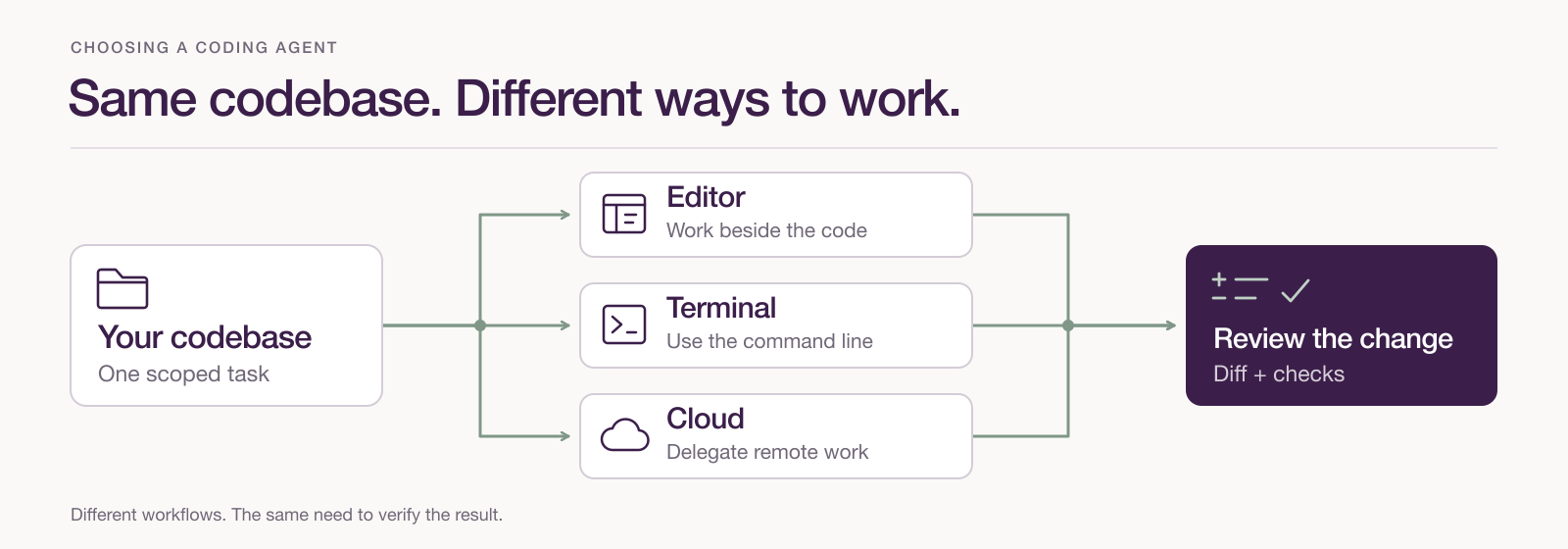
- Choose the working mode first: an agent beside you in the editor or terminal, or a task delegated to a separate environment. Several products support both.
- Compare candidates on the same bounded repository task, including the changed behavior, tests and effort needed to review the patch.
- Use a relevant skill for a specific gap in planning, debugging, implementation or review, then check whether it improves the result.
A coding-agent demo often starts with an empty folder. Your next task probably starts with a bug report, an existing component, a test suite and conventions somebody else established. A change can look convincing in isolation and still break the way the rest of the application works.
That changes what “best” means. The useful coding agent can find the relevant code, work within its constraints and return a change you can understand. Claude Code, Cursor, Codex, GitHub Copilot and Aider offer different ways to do that work. The first choice is how much of the task you want to hand over, and where you want to stay involved.
This guide compares their documented workflows, checked on 26 October 2026. The example below is a practical trial you can run in your own repository; it is not a benchmark we have performed across these products.
Choose how you want to work with the agent
When the problem is still taking shape, working beside an agent is useful. You can point to a component, inspect a proposed edit and correct an assumption before it spreads. An editor or terminal workflow keeps that exchange close to the files and commands you already use.
Delegation becomes more attractive when the task has a clear boundary. A separate environment can take a defined issue through implementation and return work for review while you do something else. That handoff needs enough context to reproduce the problem, install dependencies and run the relevant checks.